Autodesk has unveiled the 2015 version of Maya’s Bonus Tools with a new installer and some new features.
What’s New:
-Modify -> Click/Drag Rotate Tool
Ads
-Modify -> Snap Align Object(s) to Components -Modify -> Zero Pivots -> Keep Pivot Offset and Zero -Modify -> Zero Pivots -> Center Pivot and Zero -Modify -> Zero Pivots -> Move Pivot to Base and Zero -Modify -> Zero Pivots -> Move Pivot to Origin and Zero -Modify -> Replicate Object to Components -Display -> Display Control HUD -Display -> Toggle Poly Shell Count HUD -Window -> LayoutTools: Asset Browser -Window -> LayoutTools: Transform Tools -Window -> LayoutTools: Snap/Align Tools -Modeling -> Bevel Around Faces -Rendering -> Search Project for Missing Textures
The new Game Export Tool is designed to make exporting game models and animations much faster and simpler for indie game makers. The tool preserves export settings and Sets of objects in the Maya LT file format. When the file is re-opened and tweaks are made, the preserved settings allow the new version to be exported much quicker. Artists can also define multiple animation clips within a single Maya LT file by naming them and defining start/stop frames. When exporting the animations, a user can choose to export each clip into a separate FBX file, or have all the animation clips exported into a single FBX file as multiple FBX Takes. Each animation clip can also be viewed and edited in isolation within Maya LT, making the review and iteration processes much smoother.
The 2015 edition of Maya LT now available for $30 per month, as the price was slashed few days ago
Here's a REALLY useful tool developed by David Almeida. It syncronizes parameters among a set of materials in just one node! By now it's working only with Corona but, hopefully, we'll have it for other renders soon.
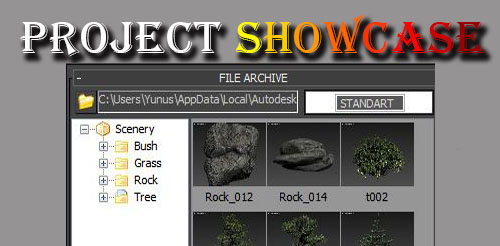
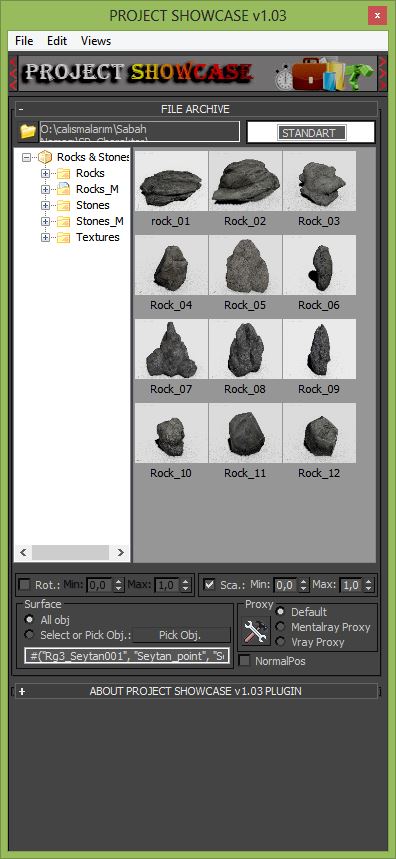
You can fast archive with projectshowcas and you can recall the scene visually archives.
Project Showcase your project is organizing a script. Creates visual archive for your 3d objects These objects quick and easy way back to the stage again able to place. we can put these objects align on any object in the scene. Random rotate and scale can do. These objects are able to place on the scene as VRayProxy or mentalrayproxy.
Replication is a clone modifier for shape objects. Replication provides users the ability to create patterns and shapes in a procedural fashion. Users have the ability to adjust shapes at their base object level while maintaining realtime feedback displaying the final results.
Have you ever wanted to randomize the face ID’s of an object based on elements, individual polygons, smoothing groups, or objects? Wait no longer. This modifier allows users to manipulate the face ID’s of an object in a non destructive way. Check out the images below where I demonstrate using this modifier to randomize the windows of a building.